Download Blitzit for
macOS & Windows
Blitzit is currently available on MacOS, Windows with mobile apps on iOS and Android.
Desktop Apps
Download Blitzit for your preferred operating system
macOS Intel
 macOS Intel
macOS Apple Silicon
macOS Silicon Windows 10/11
 Windows app
Windows only
Windows store If you bought your Blitzit license directly from our website, use the activation code given to unlock your plan inside the app after installation. You will find the option to enter your license key within the upgrade popup.
 Blitzit
Mobile
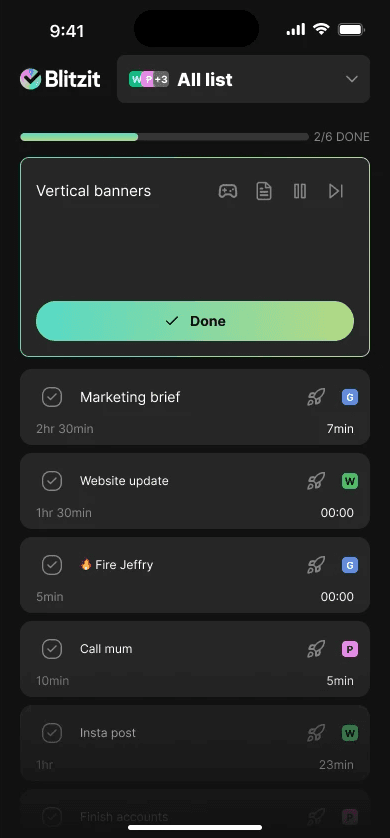
Android & iOS apps out now
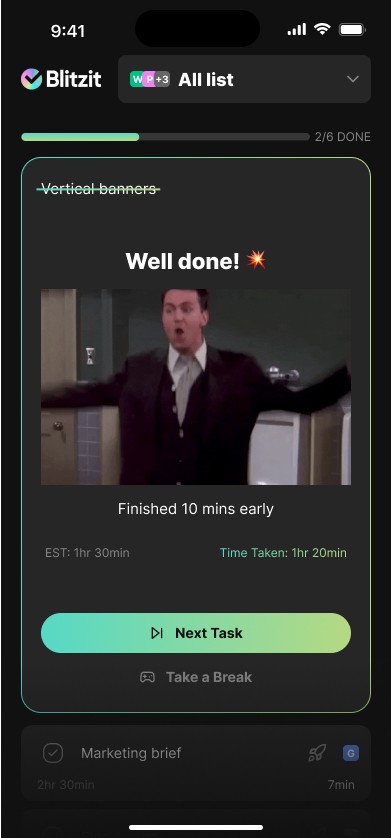
Manage your tasks on the go with all devices 100% synced.
Frequently asked questions
Don't see your answer? Get in touch via our communities.
Discord
/
Facebook
Is Blitzit only for Desktop? Is there a mobile app version?
Blitzit is currently available on macOS and Windows.
Our mobile app is officially available on both the Apple App Store and Google Play Store.
How many machines can I install Blitzit on?
You can install Blitzit on as many machines as you like. You only pay for your account on Blitzit. Similar to web applications, you can sign into your account on an unlimited amount of machines.
Is Blitzit a free app?
Blitzit is only free for the first 7 days, after this trial period all features will be locked and you will have to buy Blitzit.
How can I buy Blitzit?
All our paid plans can only be accessed directly via the app. Therefore you must install it first to see our payment options.
We do have some payment options directly online for exclusive deals. If you purchase a license online on our website, you will need to activate your plan using the code sent via email. This ensures your paid plan is activated seamlessly.
How do I activate my account if I bought a lifetime option online.
If you purchase a license online on our website, you will need to activate your plan using the code sent via email. This ensures your paid plan is activated seamlessly.
If you encounter any issues during this process, feel free to contact us at team@blitzit.app with the email address used for the purchase, and we'll manually enable your account upgrade on your request.
Can I integrate Blitzit with other apps?
Blitzit currently integrates with Google Calendar, Notion, ClickUp, Asana, MCP Server, and Webhooks.
In Blitzit 3.0, we’re adding Google Tasks, Trello, Todoist, TickTick, Linear, Microsoft Calendar, Microsoft To Do, GitHub Issues, and more, with additional integrations coming by the end of the year.
How do I get access to Blitzit?
Blitzit is a desktop application, you can download it for both Windows & MacOS on this website by clicking the button "Get Blitzit now".