Planning Unclutters Your Mind
Writing down your tasks frees up working memory, reduces stress, and increases your follow-through by up to 42%. It’s called cognitive offloading, and it works.
Turn ChatGPT & Claude conversations into tasks that actually get done
Join professionals & students from:
It’s grounded in real cognitive science.
Inline with Mihaly Csikszentmihalyi's Flow Theory
Writing down your tasks frees up working memory, reduces stress, and increases your follow-through by up to 42%. It’s called cognitive offloading, and it works.
Blitz mode is a focus session that gives you clear goals with a live timer, helping your brain enter a “flow state,” where you're fully immersed and highly productive.
Checking off tasks triggers dopamine, the brain’s reward chemical. Blitzit’s animations, and progress bars tap into this, so every task gives you momentum.
Slip into deep focus, where the noise fades and it’s just you and your next move.
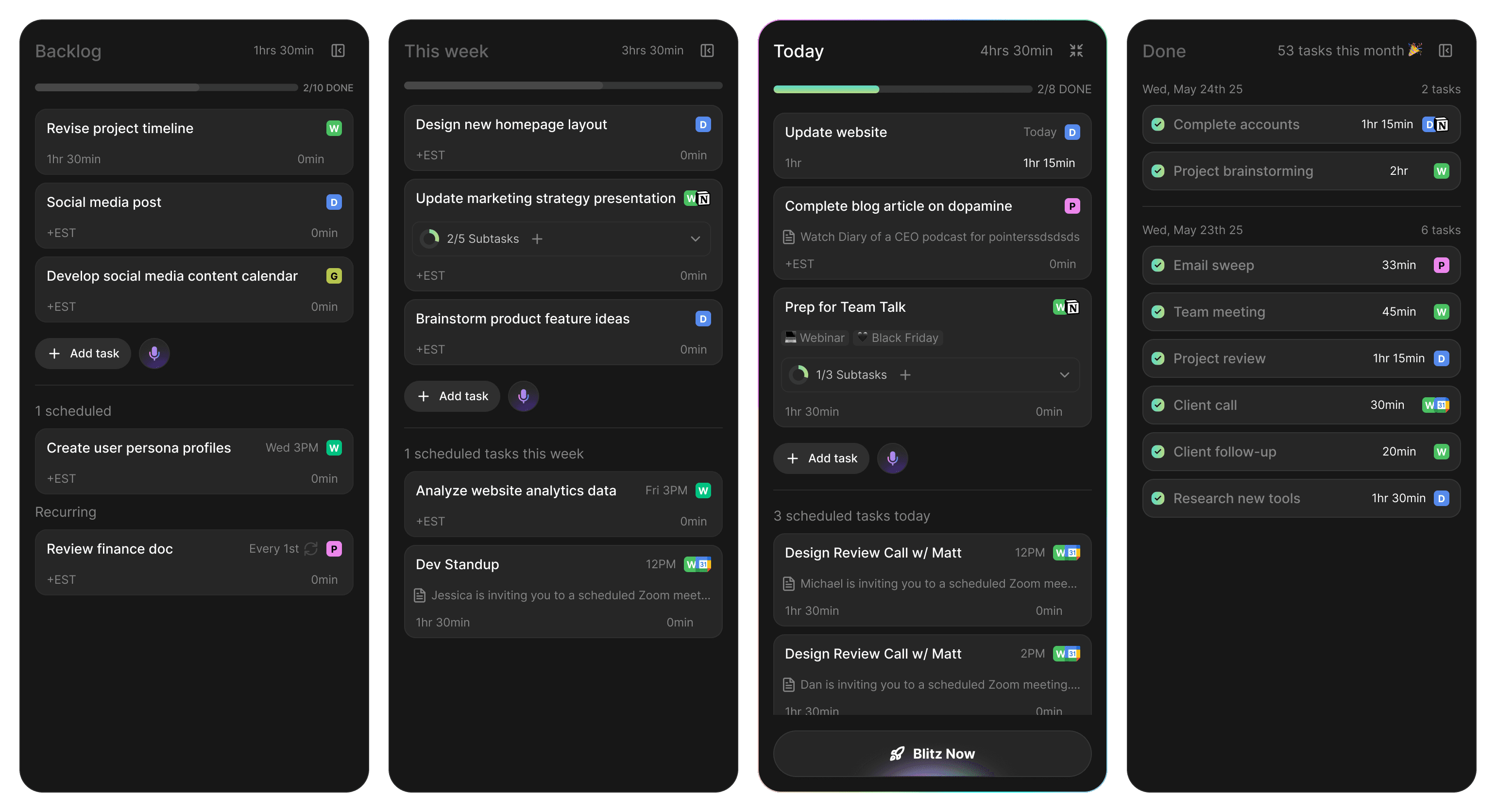
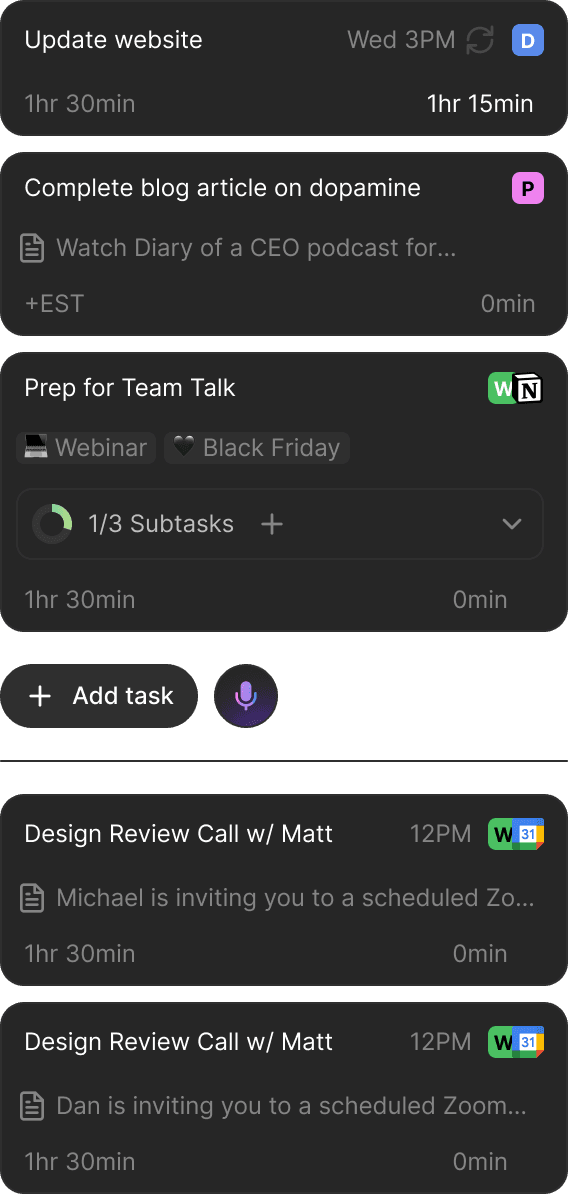
A clear view of your day, repriortize on the fly
Stay locked in on what matters with zero distractions.
Divide big goals into small, doable steps to keep momentum.
Attach the details you need so everything stays in one place.
Create intentional pauses that help you reset and recharge.
Capture commitments instantly so nothing gets forgotten.
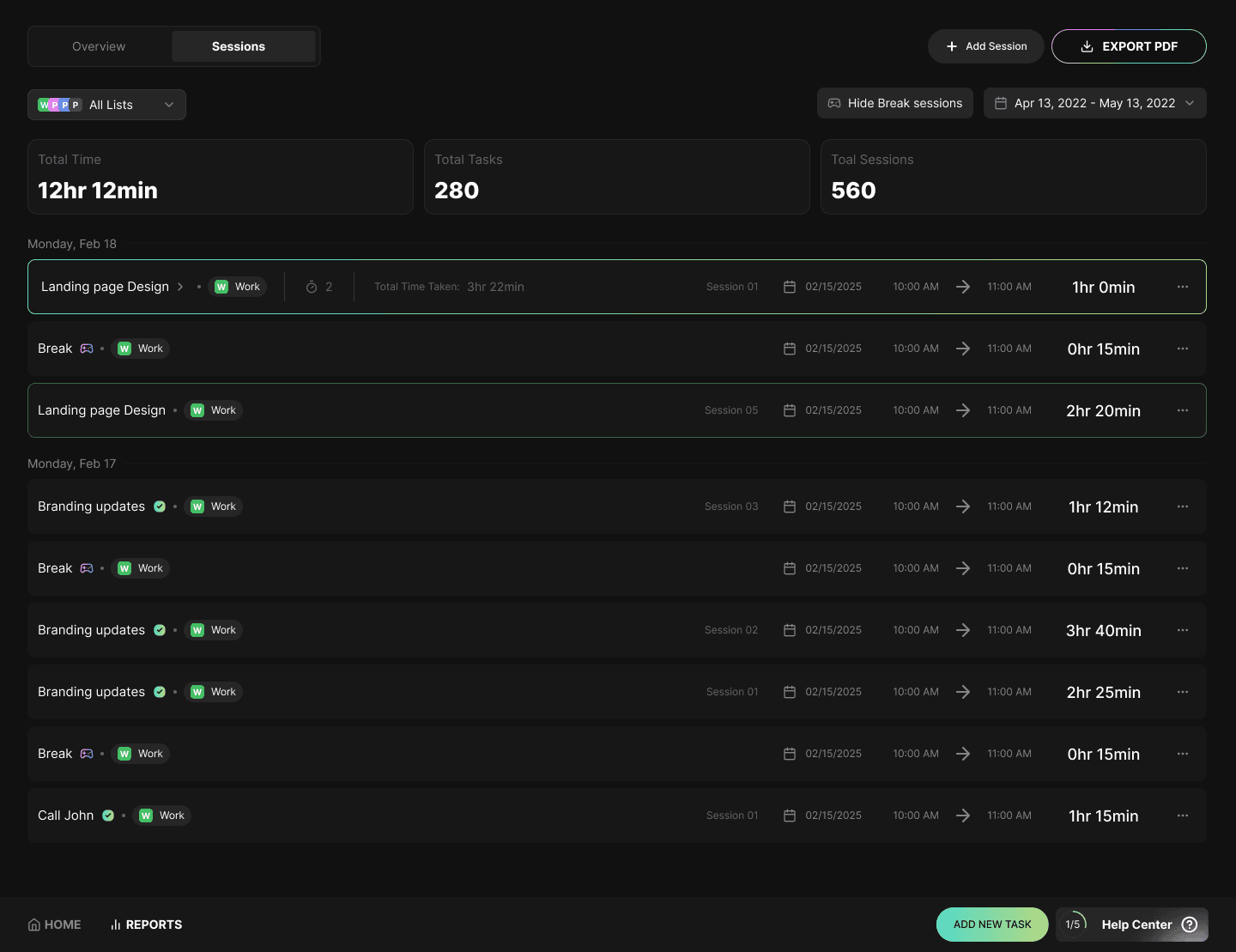
Track every session, surface your bottlenecks, and see exactly where your day goes.
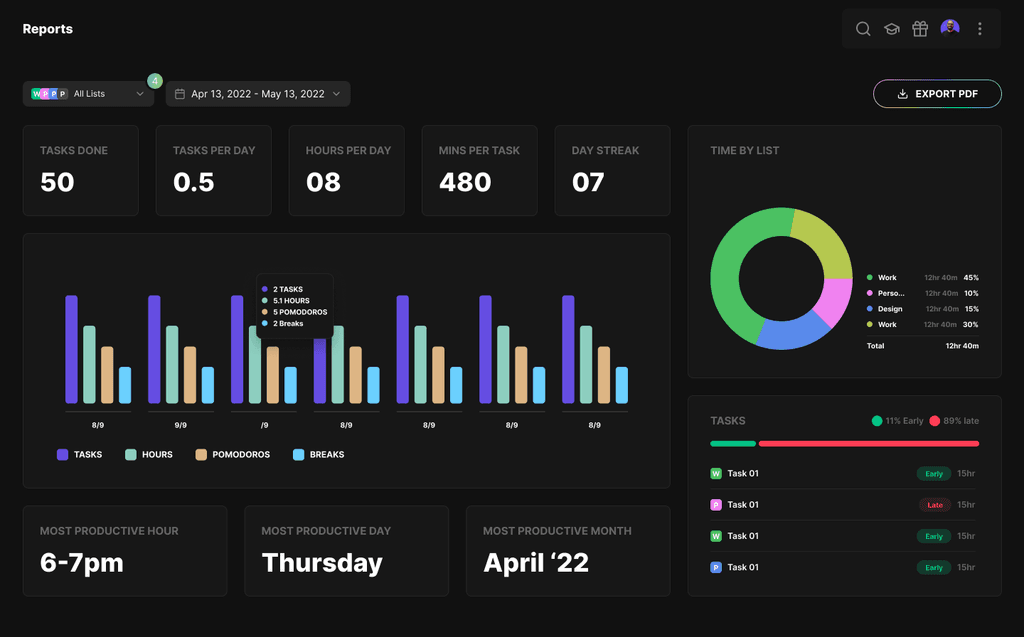
Get a clear understanding of where your time goes
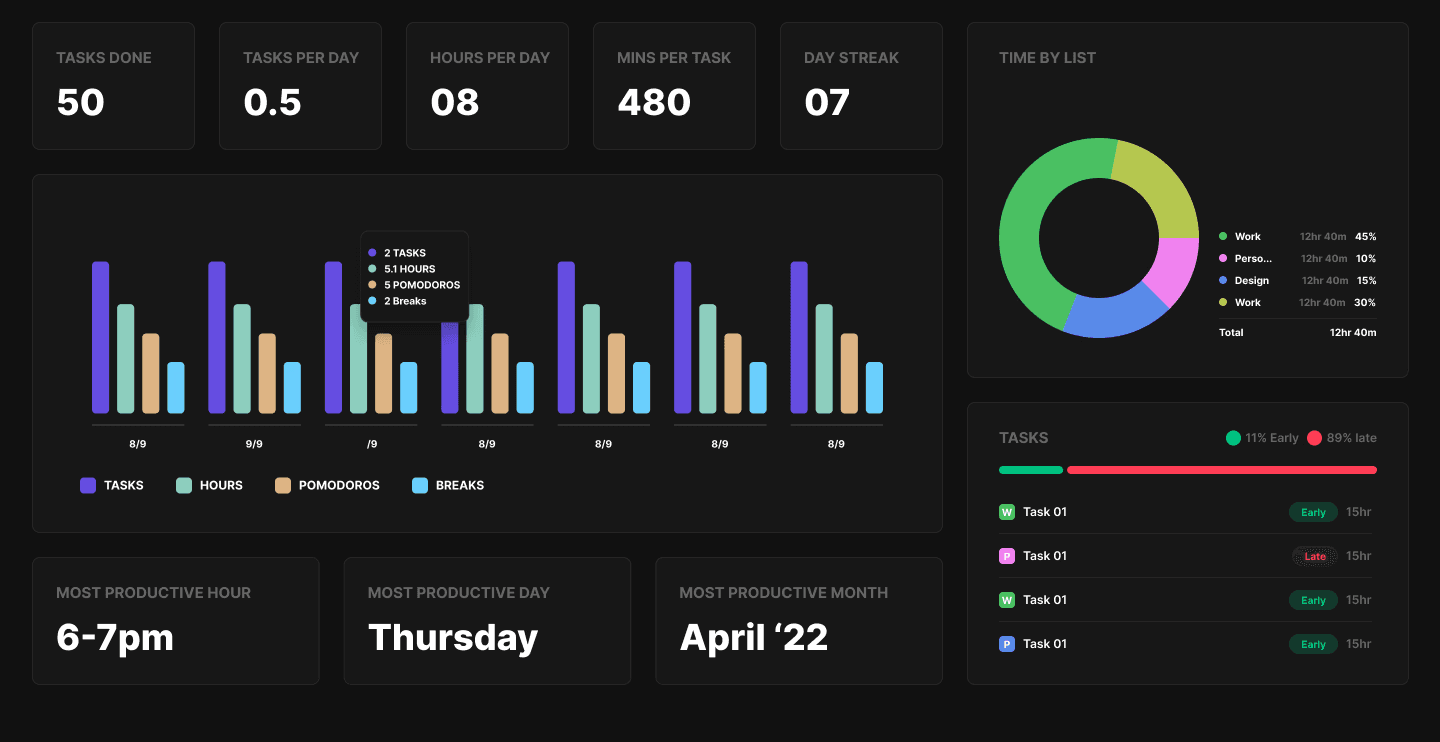
Reflect on your ability to set realistic time estimates
Keep tasks grouped and tidy
Work in focused timed cycles
Recharge with intentional break time
Get audio/visual nudges when drifting off
Celebrate tasks with fun animations
Trigger actions faster with shortcuts
Switch themes for comfortable focus
Plan tasks for specific times
View simple productivity insights
Add estimates, and visualize time taken
Capture thoughts instantly anywhere
Break tasks into smaller steps
Sync tasks & meetings
Turn spoken thoughts into tasks & notes.
Links inside notes open when tasks go live.
Manage tasks on the go
"It's definitely one of the better to do list applications available on the market!"
Don't see your answer? Get in touch via our communities.
Discord
/
Facebook
Blitzit is currently available on macOS and Windows.
Our mobile app is officially available on both the Apple App Store and Google Play Store.
You can install Blitzit on as many machines as you like. You only pay for your account on Blitzit. Similar to web applications, you can sign into your account on an unlimited amount of machines.
Blitzit is only free for the first 7 days, after this trial period all features will be locked and you will have to buy Blitzit.
All our paid plans can only be accessed directly via the app. Therefore you must install it first to see our payment options.
We do have some payment options directly online for exclusive deals. If you purchase a license online on our website, you will need to activate your plan using the code sent via email. This ensures your paid plan is activated seamlessly.
If you purchase a license online on our website, you will need to activate your plan using the code sent via email. This ensures your paid plan is activated seamlessly.
If you encounter any issues during this process, feel free to contact us at team@blitzit.app with the email address used for the purchase, and we'll manually enable your account upgrade on your request.
Blitzit currently integrates with Google Calendar, Notion, ClickUp, Asana, MCP Server, and Webhooks.
In Blitzit 3.0, we’re adding Google Tasks, Trello, Todoist, TickTick, Linear, Microsoft Calendar, Microsoft To Do, GitHub Issues, and more, with additional integrations coming by the end of the year.
Blitzit is a desktop application, you can download it for both Windows & MacOS on this website by clicking the button "Get Blitzit now".