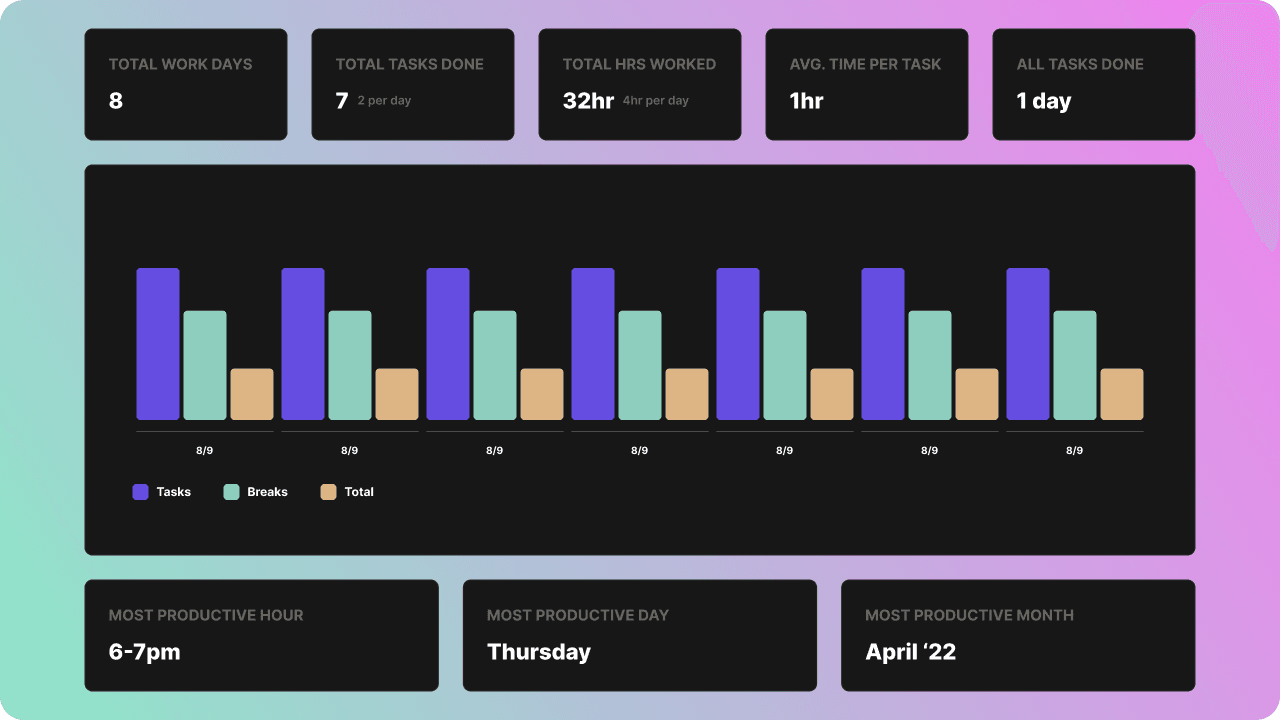
Productivity report
The Productivity Report helps you understand your daily work patterns, track your focus trends, and see how your productivity evolves over time.
You can access the Productivity Report from the Reports icon in the bottom navigation bar on the Home screen.
List & Date Filtering
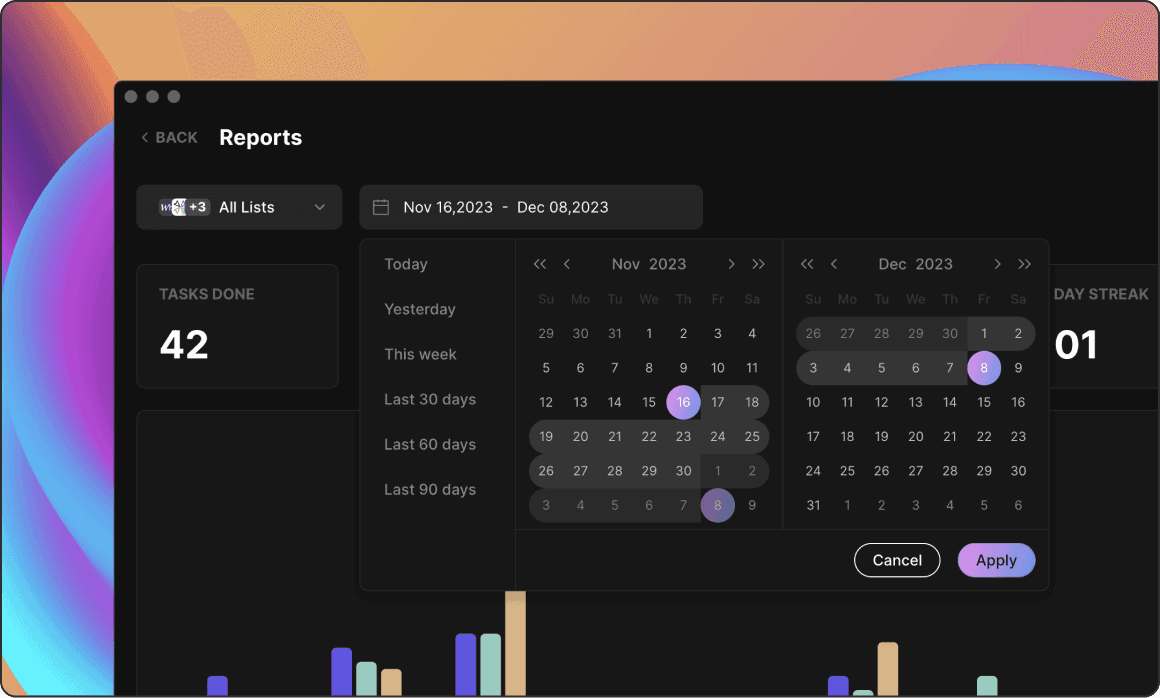
At the top of the Reports page, you can:
- Filter by List to focus on specific areas of work or select All Lists for a full overview
- Choose a date range, using quick shortcuts or a custom selection
All insights and graphs below will adjust based on the filters you choose.
Daily Productivity Graph
This graph gives you a clear visual breakdown of your activity for each day in the selected period.
- Purple: Hours spent on tasks
- Green: Hours spent on breaks
- Yellow: Total session time (tasks + breaks combined)
You can toggle each metric on or off to customize the graph.
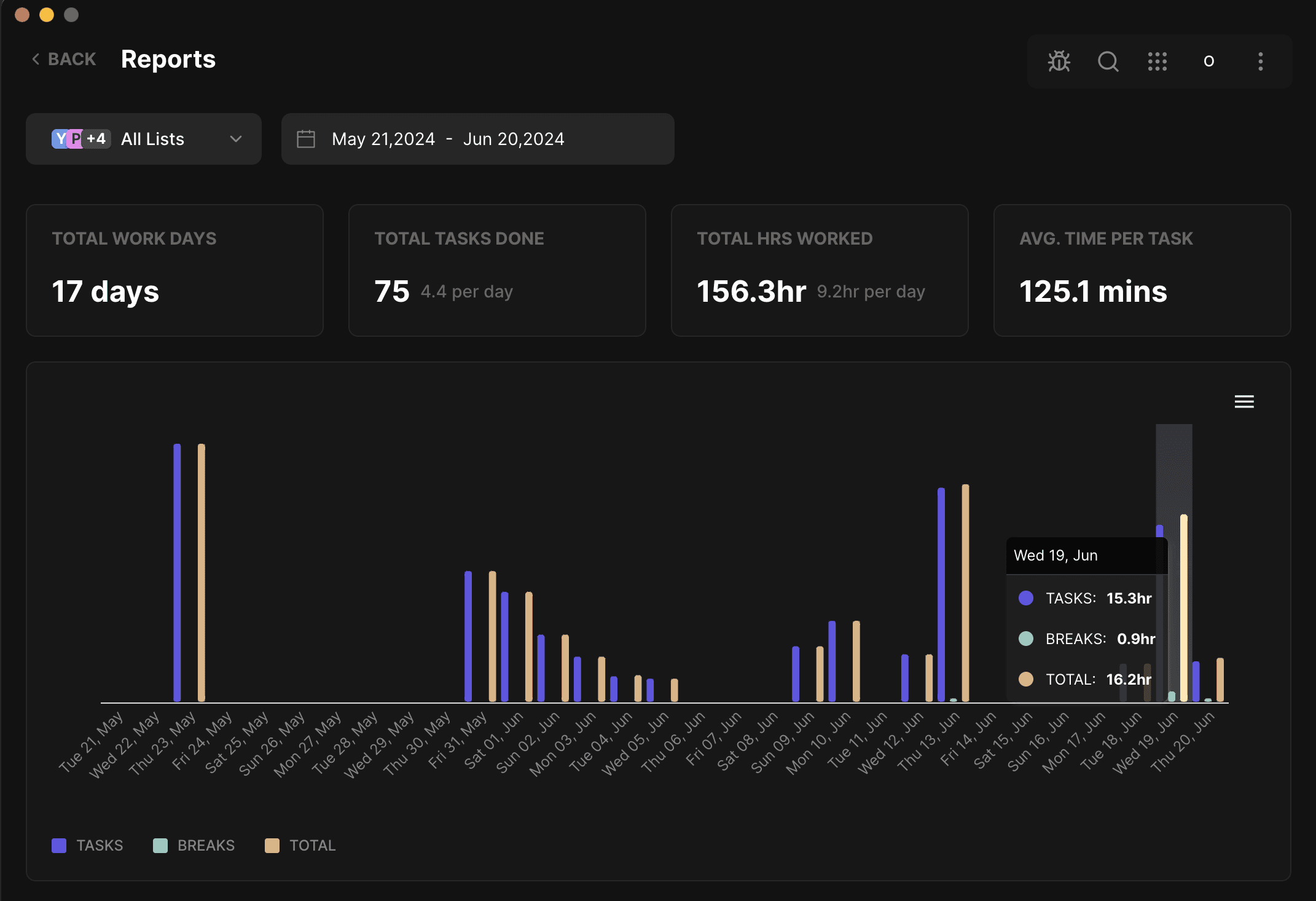
The metrics above the graph provide a quick overview of your key activity patterns:
- Total Work Days — Number of days you were active in Blitzit
- Total Tasks Done — Total tasks completed, plus the average completed per active day
- Total Hours Worked — Combined time spent on tasks and breaks, plus average hours per active day
- Avg. Time per Task — Average time spent per task, including partially completed tasks
These stats update dynamically based on your List and date filters.
Most Productive Times
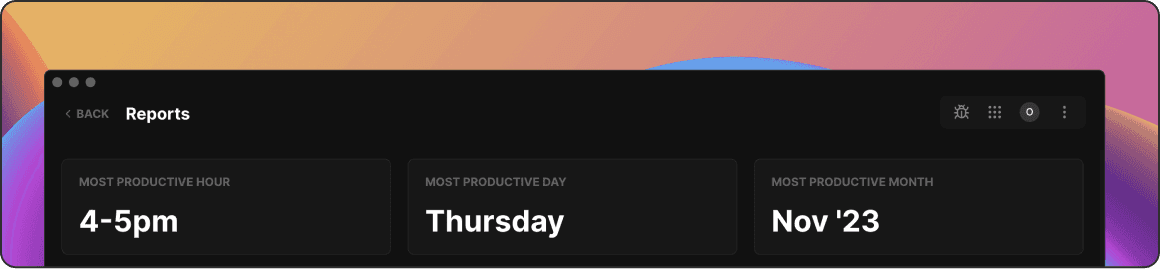
This section shows when you tend to work most effectively, based on your actual live sessions:
- Most Productive Hour — The hour of the day when you focus the most
- Most Productive Day — The weekday with the highest number of focus sessions
- Most Productive Month — The month with the most active time (if your selected period spans multiple months)
Connect with us
Links
Most Popular
Important articles on how Blitzit works.